Sharing a result and stopping sharing
Show a result with a link, and stop sharing anytime
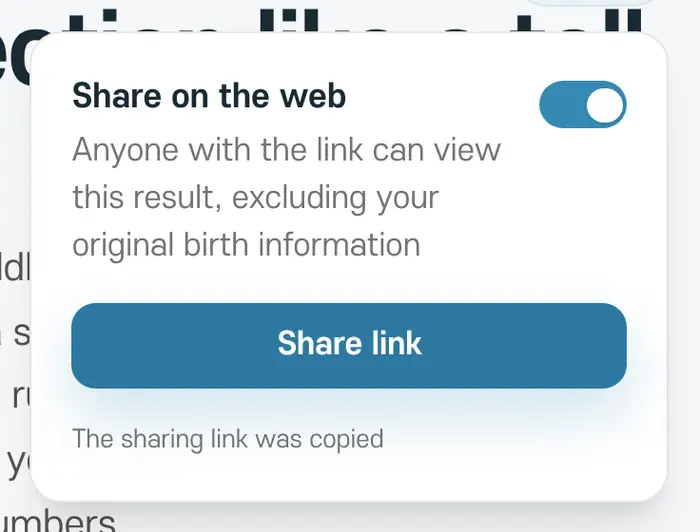
By default, only you can see your results. To show one to someone else, tap 'Share' at the top right of the result and turn sharing on.
- 1
Turn on sharing
Turn on 'Share on the web'.
- 2
Send the link
Tap 'Share link' to copy the link or open your phone's share sheet.
- 3
Viewing the link
Anyone with the link can see the result without signing in.
Stopping sharing
Tap 'Share' again and turn it off to stop sharing. Links you've already sent stop opening right away.
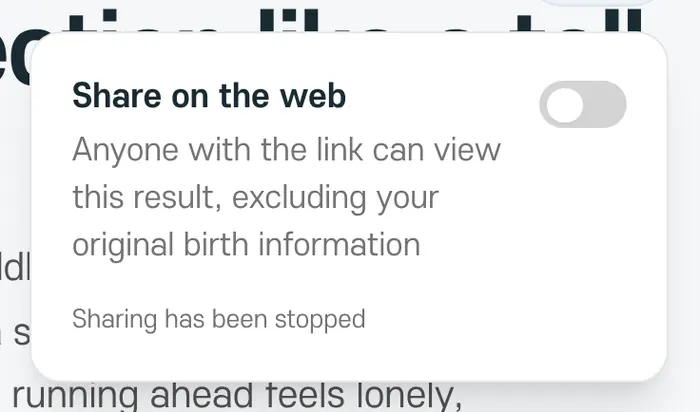
Shared links never include your birth date, birth time, or birthplace. Moving a result to Trash also stops sharing right away.